

With tens of thousands of WordPress plugins available, it’s easy to overbuild a site. Most performance, SEO, and stability issues don’t come from WordPress itself—they come from installing the wrong plugins or too many of them.
The plugins below form a lean, professional foundation for nearly every WordPress website. They focus on the fundamentals: search visibility, data accuracy, workflow efficiency, URL control, and lead capture. Every plugin in this stack is not only recommended but battle tested through daily use by a 28+ year veteran doing hands-on web design in Tampa. And best of all, none of these plugins require specific page builders or create unnecessary bloat.
Yoast SEO
Plugin: https://yoast.com/
What the Plugin Does
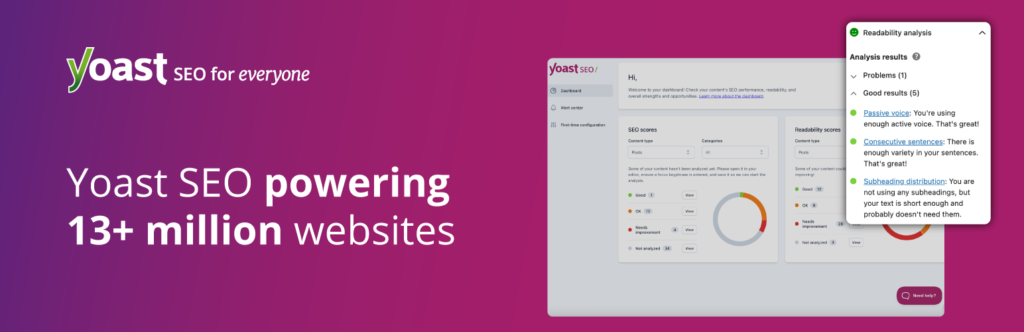
Yoast SEO gives you direct control over how your website appears in search engines. It manages page titles, meta descriptions, canonical URLs, XML sitemaps, and indexation rules. Its biggest value is preventing silent SEO mistakes that can hurt rankings over time, such as duplicate content or improperly indexed pages.
How to Use It Effectively
The most effective Yoast setups are simple. Configure your global title and meta templates once, then manually optimize only your most important pages—your homepage, core service pages, and top-performing content. Use Yoast primarily as a control system, not a content-writing assistant.
A Trick Most People Don’t Know
Yoast allows you to selectively de-index low-value pages—such as tag archives, thin content, or filtered URLs—without blocking crawling. This improves crawl efficiency and overall site quality, something most WordPress sites never address.
Site Kit by Google
Plugin: https://sitekit.withgoogle.com/
What the Plugin Does
Site Kit connects Google Analytics, Google Search Console, PageSpeed Insights, and Google Tag Manager directly to WordPress. It gives site owners visibility into traffic, indexing, performance, and search data without logging into multiple Google dashboards.
How to Use It Effectively
Site Kit works best as a monitoring tool. Use it to catch indexing issues early, identify pages getting impressions but low clicks, and spot performance regressions after updates or redesigns. It’s not just analytics—it’s an early warning system.
A Trick Most People Don’t Know
You can grant limited, read-only access to clients or editors so they can see performance data without giving full Google Analytics permissions. This keeps account ownership clean and avoids long-term permission issues.
Duplicate Page
Plugin: https://wordpress.org/plugins/duplicate-page/
What the Plugin Does
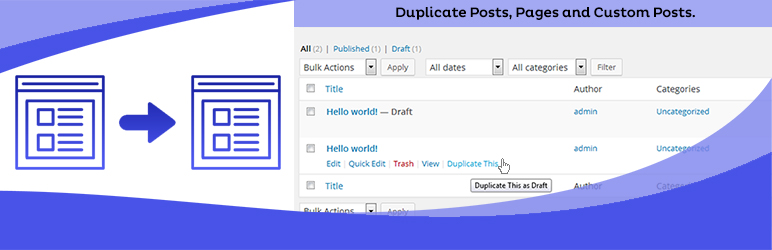
Duplicate Page allows you to instantly clone posts or pages. This makes it easy to safely edit content, layouts, or messaging without affecting the live version of a page.
How to Use It Effectively
Use Duplicate Page for landing page revisions, service page rewrites, campaign variations, or design testing. Duplicate first, edit privately, and publish only when you’re confident. This reduces errors and protects live conversions.
A Trick Most People Don’t Know
You can configure duplicated pages to default to draft, pending review, or private status. This is especially useful for teams or agencies where accidental publishing can cause real problems.

Redirection
Plugin: https://wordpress.org/plugins/redirection/
What the Plugin Does
Redirection manages 301 redirects and tracks 404 errors. Anytime URLs change—page deletions, permalink updates, site migrations—this plugin preserves SEO value and prevents users from hitting dead ends.
How to Use It Effectively
Monitor 404 errors regularly and create redirects proactively. Use Redirection during redesigns, content restructuring, or when retiring old pages. Proper redirect management protects rankings and user experience long-term.
A Trick Most People Don’t Know
Redirection supports conditional redirects based on login status, referrer, or browser type. This allows advanced routing behavior without editing server files or touching .htaccess.
WPForms
Plugin: https://wpforms.com/
What the Plugin Does
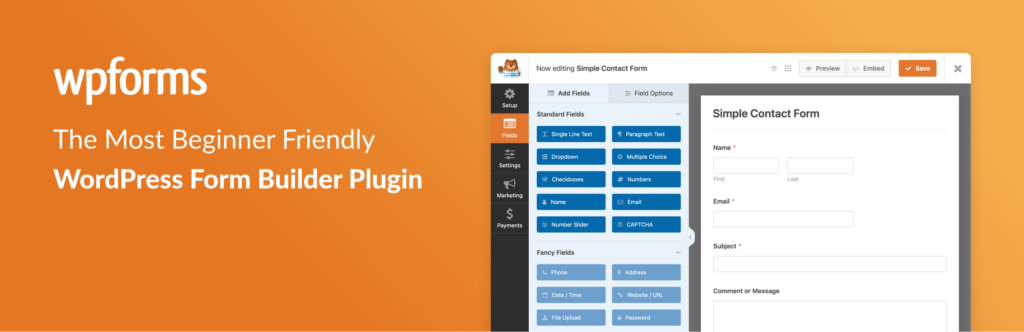
WPForms handles contact forms, quote requests, and lead capture. It’s fast, stable, and easy for clients to manage, making it a strong default form solution for business websites.
How to Use It Effectively
Keep forms short and focused. Ask only for information you truly need, use clear labels, and send notifications to the right recipients. Well-designed forms reduce friction and improve conversion rates.
A Trick Most People Don’t Know
WPForms supports hidden fields populated by URL parameters. This lets you capture campaign, source, or page data silently, turning basic forms into lightweight attribution tools without external software.
Why This Plugin Stack Works
This plugin stack works because it focuses on core website mechanics, not optional features or trend-driven tooling. Every plugin in this list solves a problem that exists on virtually every WordPress site, regardless of industry, size, or traffic level.
First, it separates responsibilities cleanly. SEO is handled by Yoast. Data and performance visibility are handled by Site Kit. Content workflow is improved with Duplicate Page. URL integrity and SEO preservation are managed by Redirection. Lead capture is handled by WPForms. There is no overlap, no redundancy, and no plugins stepping on each other’s responsibilities.
Second, this stack is low-bloat and low-risk. None of these plugins inject heavy frontend assets, override themes, or impose opinionated design systems. They work with WordPress rather than against it. That means fewer conflicts, easier debugging, faster load times, and long-term stability as WordPress core evolves.
Third, it supports how websites actually grow. Websites change over time—pages are rewritten, URLs change, content is tested, and tracking needs evolve. This stack anticipates that reality. Duplicate Page allows safe iteration. Redirection protects SEO equity during changes. Site Kit provides feedback loops so decisions are based on real data instead of assumptions.
It also scales well across roles. Developers can rely on predictable behavior. Marketers can manage SEO and forms without touching code. Clients can view performance data without breaking anything. That makes this stack suitable not just for individual sites, but for agencies and long-term client management.
Most importantly, this setup avoids the most common WordPress failure mode: installing plugins to compensate for unclear goals. Instead of adding features “just in case,” this stack establishes a strong baseline that can be extended intentionally when—and only when—a real need exists.
In short, this plugin stack works because it is purpose-built, conservative, and durable. It prioritizes clarity, control, and longevity over novelty—and that’s exactly what most WordPress sites need to succeed.